
UX / Product Design — Case Study
Designing a field-ready maintenance experience
Maintenance technicians are the people who keep facilities running — and they take real pride in making things work again. In our interviews, technicians described the satisfaction of restoring equipment, solving urgent problems, and helping people who are relying on them in critical moments. Their work is fast‑paced, hands‑on, and deeply tied to the real‑world impact they create.
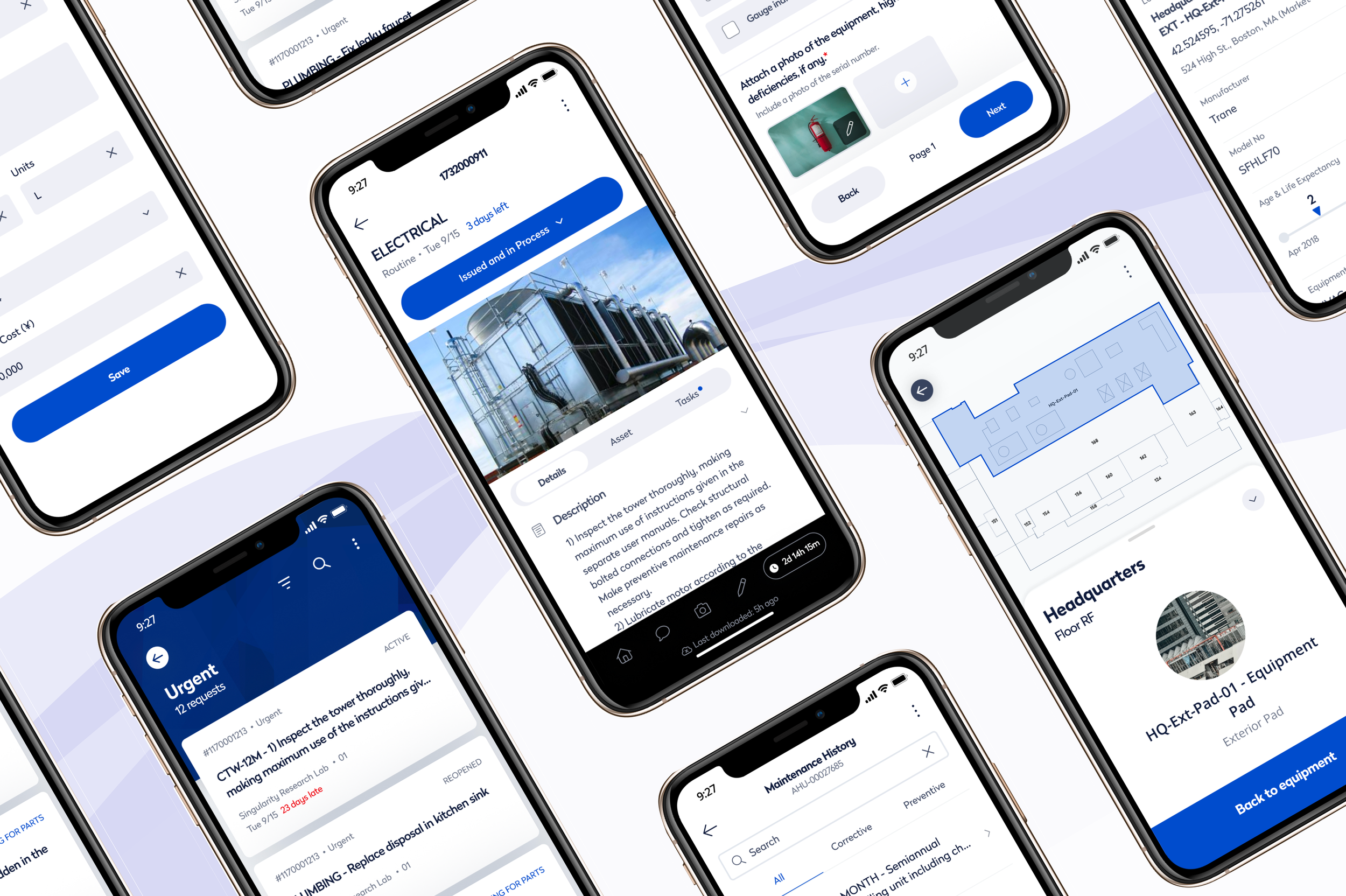
My work on this project involved the end‑to‑end design of the mobile maintenance app.
We conducted extensive research into technician routines, behaviors, and decision‑making to ensure the experience supported how they actually work in the field. A key goal of the redesign was to surface the wealth of information hidden in equipment history and technical documentation, giving technicians the context they need to diagnose issues quickly, make informed decisions, and get facilities back up and running.
Role
Senior UX Designer
Users
Maintenance technicians and facility managers
Challenge
Help technicians diagnose and resolve work orders while moving through complex facilities
Solution
A mobile experience that puts maintenance history, documentation, and service information at the point of need
Design decisions informed by real technician behavior
Technicians often juggle dozens of tasks across large facilities, and during research we learned that there was no single way they preferred to organize their work. Some focused on urgent issues first, while others completed all work in a building before moving on. To support these different workflows, we designed a flexible task list that can be organized by location, priority, or due date.
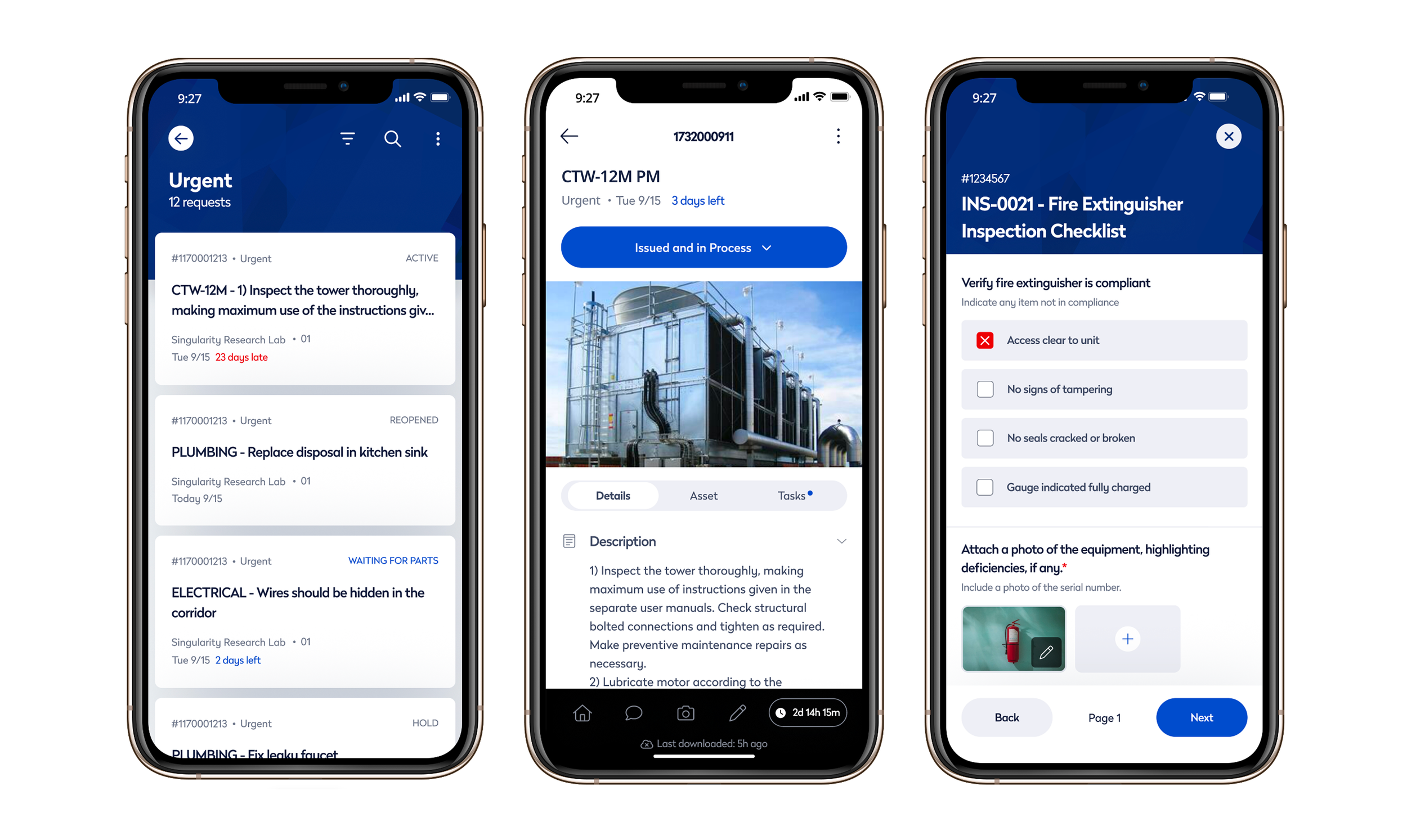
Frequently used technician tools are available through the footer, including comments, camera capture, and work-hour logging.
We also spent time understanding the conditions in which technicians actually work. Many perform maintenance in dim mechanical rooms, basements, and other challenging environments, which led us to add a flashlight toggle directly within the barcode scanner to improve reliability. Unreliable connectivity was another common challenge, so the app includes offline access to tasks, equipment details, and checklists, automatically syncing updates when a connection is restored.
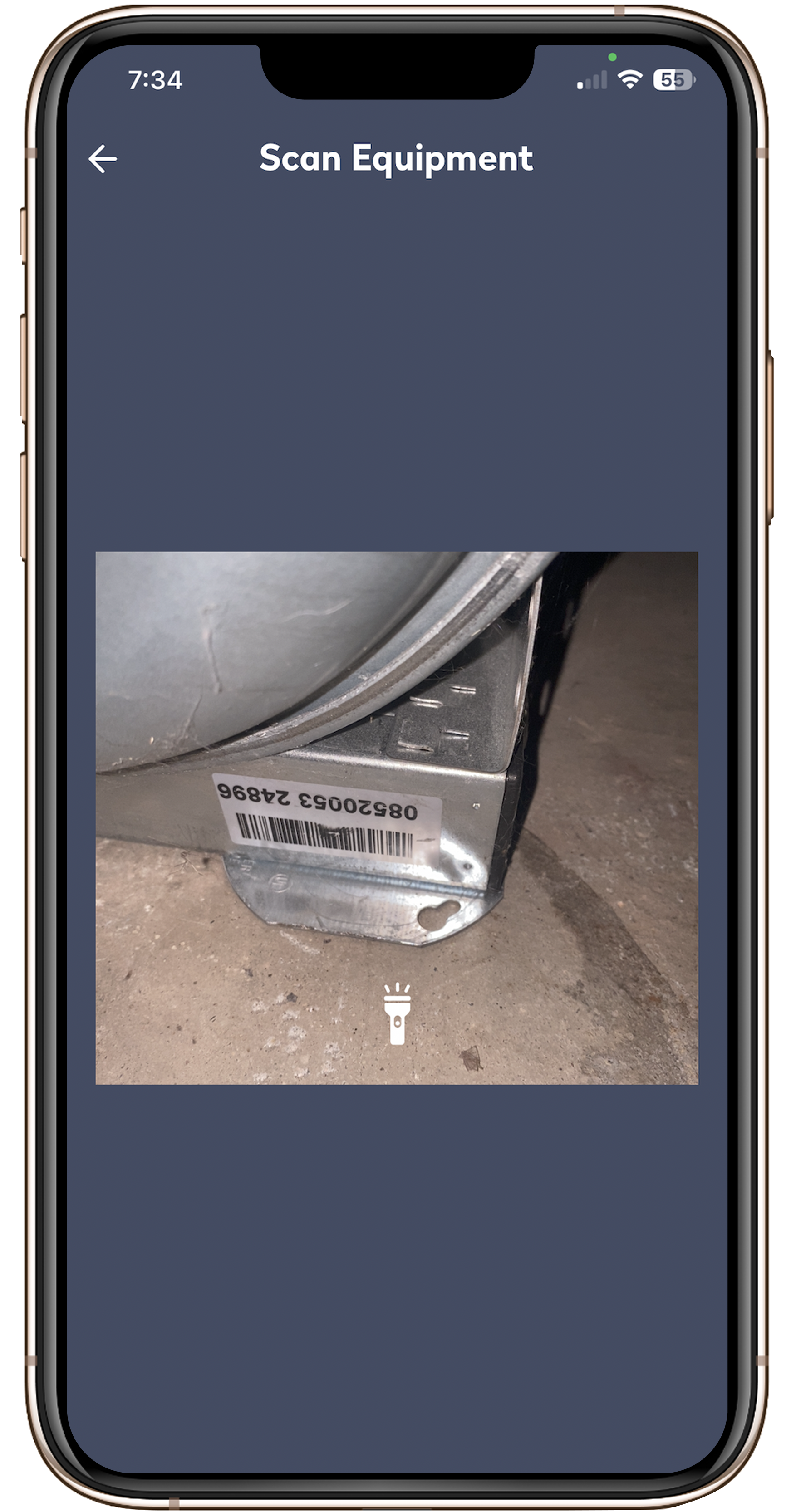
Integrated flashlight support improves barcode scanning in low-light environments.
Transforming equipment data into a field tool
Our system contained an enormous amount of equipment data, but much of it was buried within the platform and difficult to access in the field. One of my key responsibilities was determining which information technicians needed most often and surfacing it in a way that supported fast diagnosis and repair decisions. Working closely with the product manager, we prioritized the floor plan, maintenance history, service notes, warranty status, equipment age, life-expectancy indicators, and technical documentation, allowing technicians to quickly understand both the context and location of the equipment they were servicing.
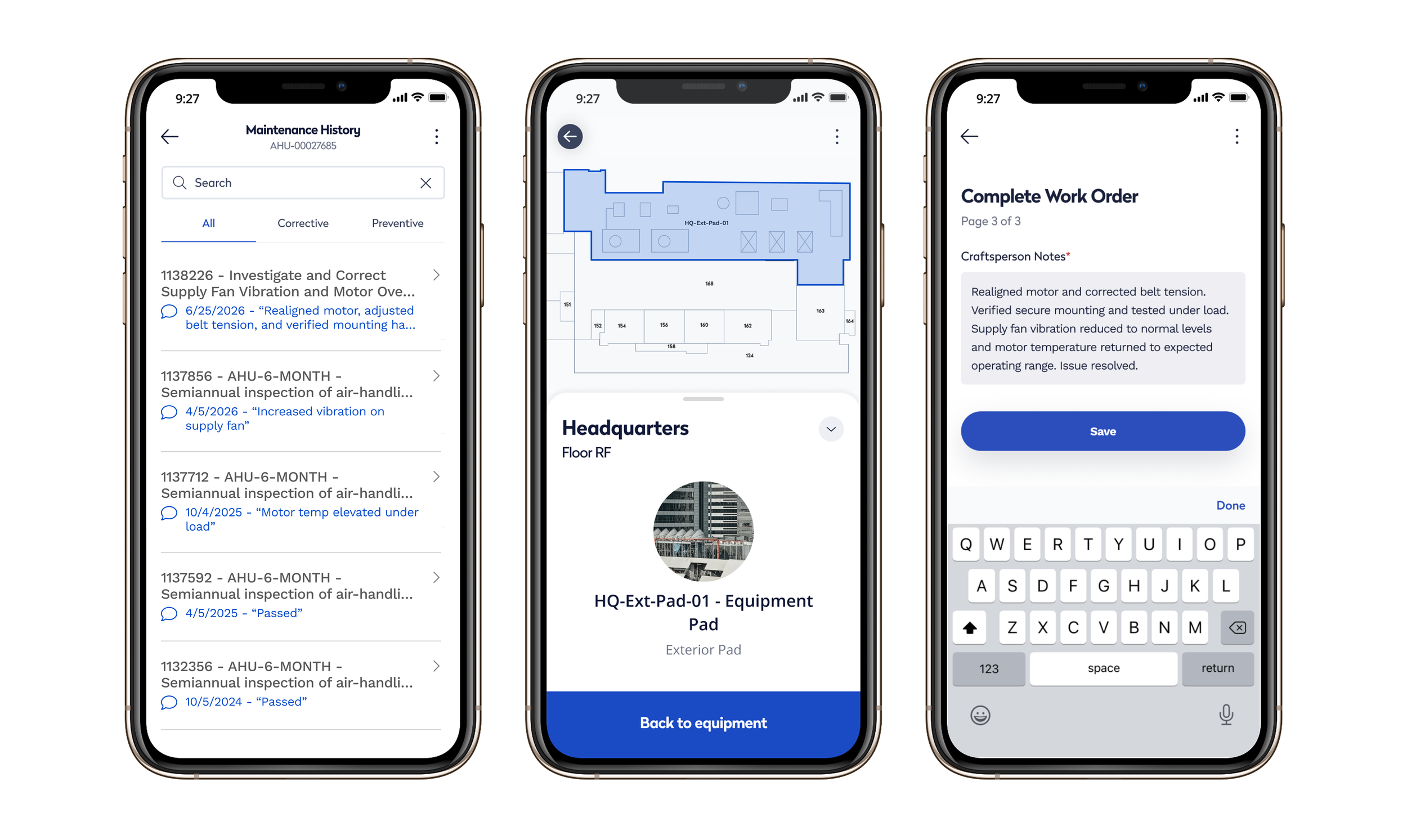
Providing access to maintenance history, floor plans and service notes transformed the application from a reporting tool into a resource technicians could rely on throughout the workday.
Why maintenance history matters for decision making
One of the most important insights from our research was that maintenance history isn't just a record of past work. It's how technicians pass knowledge to one another. Many facility teams rely on highly experienced technicians who have spent decades working with the same equipment, and a significant portion of this workforce is approaching retirement. Without a way to capture and share what they've learned, valuable operational knowledge can leave with them.
To preserve and transfer that expertise, we redesigned the maintenance history experience to surface technician comments alongside service records. Making these observations visible at a glance helps teams identify recurring issues, understand an asset's history, and make faster, more informed repair decisions.
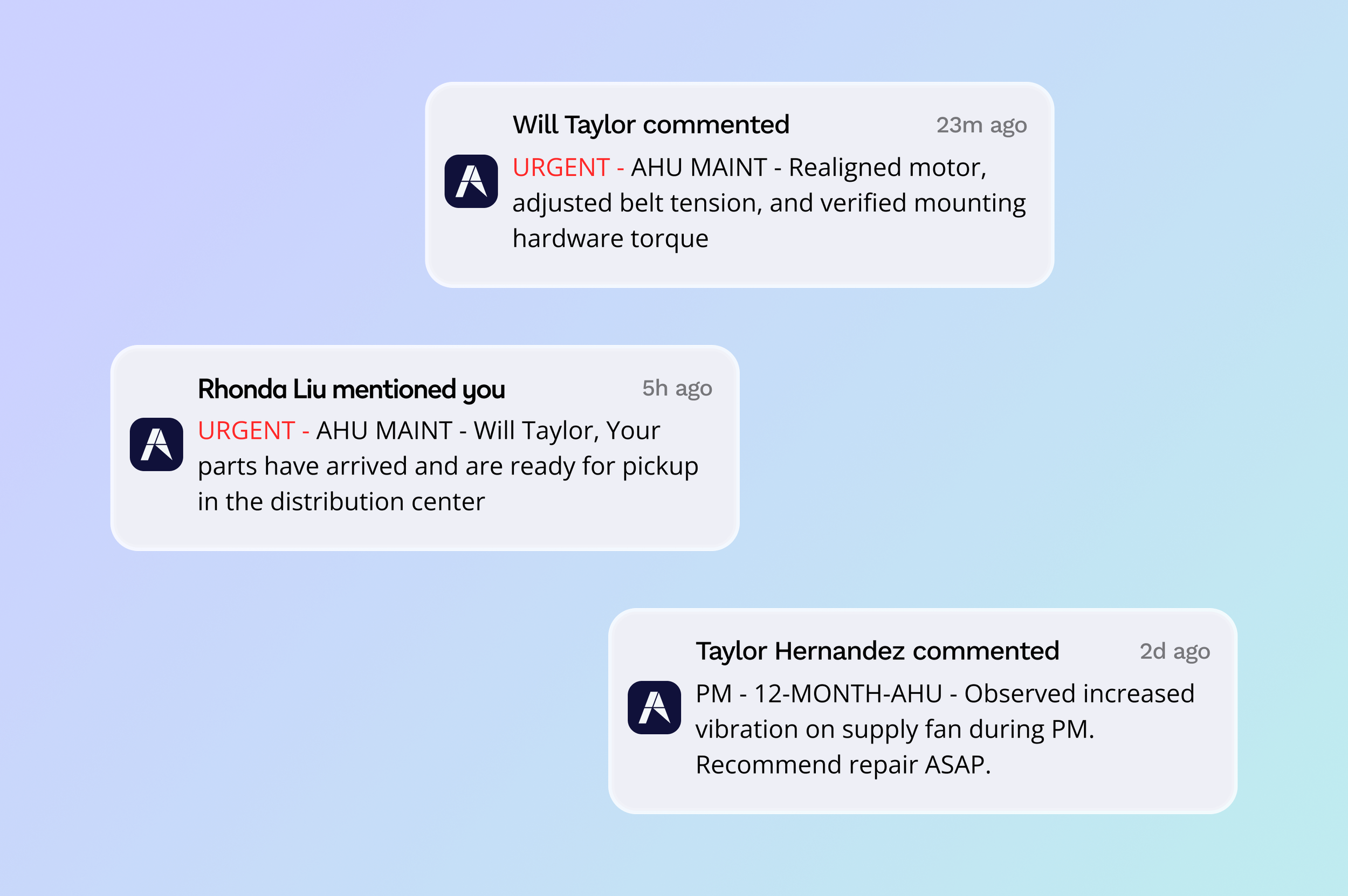
Technician observations remain attached to the asset throughout inspections, repairs, and follow-up work, creating a searchable history that supports future maintenance decisions.
By capturing technician observations, the design helps preserve institutional memory and support the next generation of technicians who will inherit increasingly complex facilities.
Outcome
The final design put critical maintenance information directly in the hands of technicians, reducing the effort required to diagnose problems and complete work orders in the field. By bringing work order details, asset history, documentation, and service context into a single mobile experience, the app helped technicians stay focused on solving problems rather than searching for information.